


AI agents in Business Central: what they are and what they do for you
AI in an ERP system was long a promise. With the agents in Microsoft Dynamics 365 Business Central, work that used to repeat every day now largely happens automatically: processing an incoming order, booking a purchase invoice, and classifying a document. On this page, we first explain what an agent actually is, and then what the three agents that matter now concretely mean for an installation, service, or technical company.
What exactly is an AI agent?
An AI agent is not a chatbot that you ask questions to. It is a digital employee that independently performs a defined task from start to finish, within the rules and permissions you have set. The difference with Copilot lies in the workflow: with Copilot, you ask a question and receive an answer or a proposal; an agent takes a process in hand, executes steps in Business Central, and submits the result to a human for review.
Three characteristics typify a good police officer:
- Defined scope. An agent does one thing well. The Sales Order Agent creates sales orders, and the Payables Agent processes purchase invoices. The sharper the task, the more reliable the result.
- Man in the loop. The agent prepares and proposes; an employee approves. Every change an agent makes is visible and traceable via the task pane and the review bar in Business Central.
- Permissions and context. An agent operates under their own limited permissions profile. They see and do exactly what is necessary for their task — no more.
Important to know: agents operate on a usage-based system (Copilot Credits), not on a fixed-user license. You pay per processed task. This makes starting small attractive and allows you to manage costs effectively.


The three agents who matter now
Since the 2026 release of Business Central, two ready-made agents are generally available (GA), plus an environment for building your own agents. Below is the overview; for each agent, there is a separate page with concrete tips for setup and use.
1. Sales Order Agent — from email to sales order
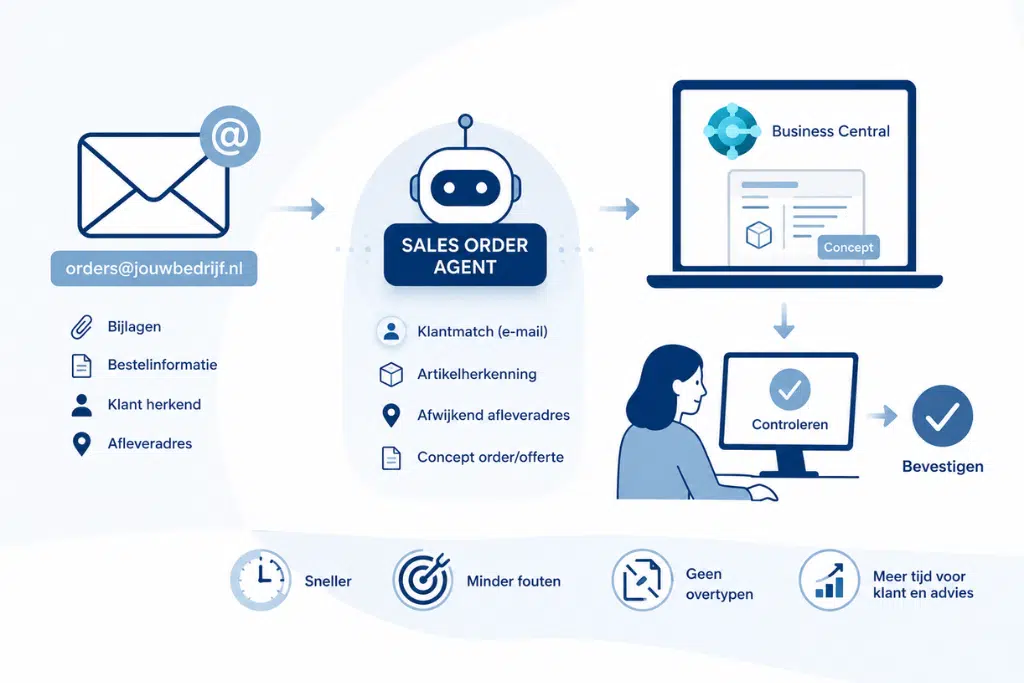
The Sales Order Agent monitors a shared mailbox (for example, orders@yourcompany.nl), reads incoming order emails, including attachments, and automatically creates a draft sales quote or order in Business Central. The agent recognizes the customer based on the email address, matches the requested items, and can even extract a different delivery address from the email and place it on the document. Your internal team checks and confirms— eliminating manual data entry.
For those who receive many recurring orders via email, this is the quickest win.
2. Payables Agent — purchase invoices end-to-end
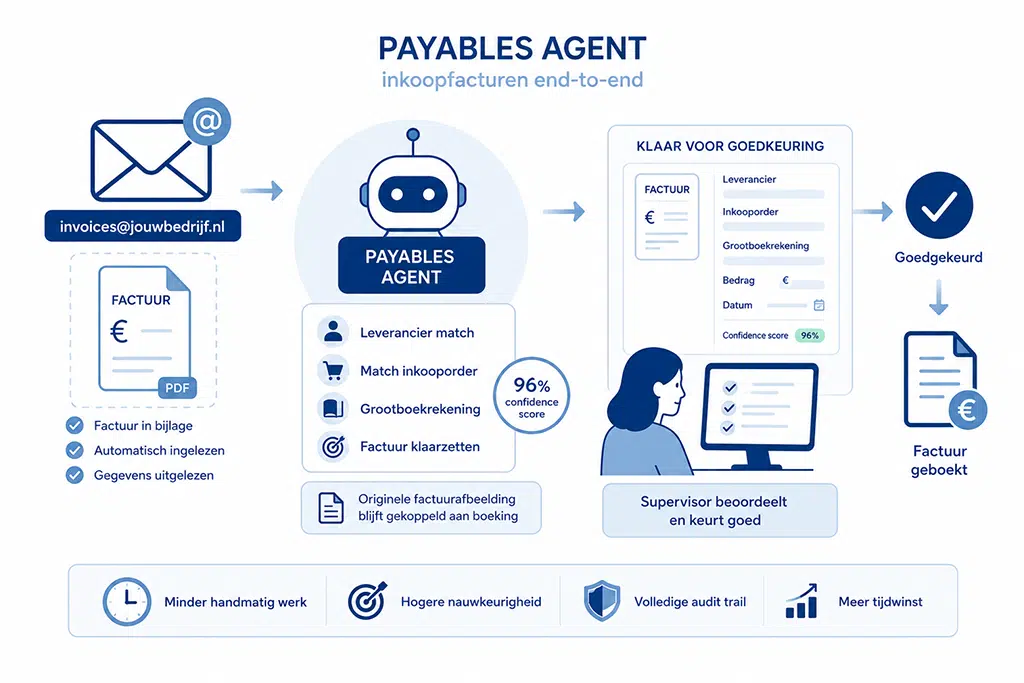
The Payables Agent monitors a separate mailbox for purchase invoices, reads the invoice in the attachment, extracts the relevant data, matches the vendor and general ledger/purchase order, and prepares the invoice for approval. The original invoice image remains linked to the booking throughout the entire chain, so no one needs to search or drag afterward. Each field is assigned a confidence score that helps your supervisor quickly assess which items require attention.
For the financial administration of an SME with a high invoicing volume, this is the agent that offers the greatest time savings.
3. Agent Designer — build your own agent
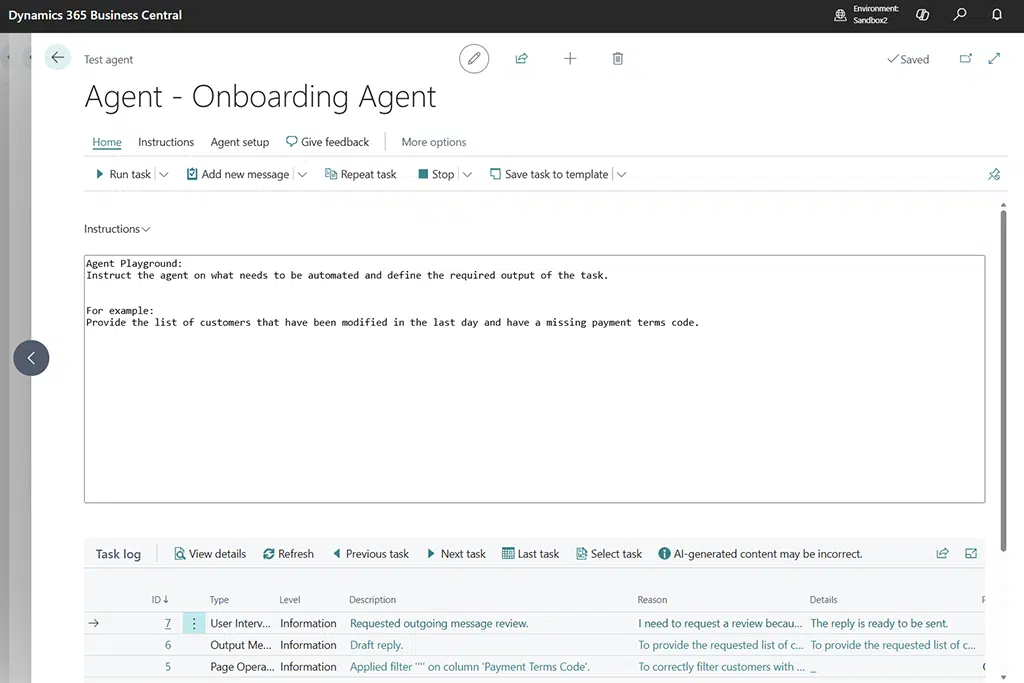
In addition to ready-made agents, you have been able to design your own custom agents using the Agent Designer since 2026. You define the agent’s goal and instructions in plain language, grant it exactly the permissions it needs, and test it in a sandbox before going live. This allows you to automate processes specific to your industry — think of validating service orders or preparing work orders.
This is the most technical route and requires well-thought-out instructions and a tight scope.

How do you start wisely?
Start small and measurable. Choose one agent and one process with high repetition, run a pilot with a handful of customers or suppliers, and only scale up once reliability has been proven in practice. Set up separate, dedicated mailboxes (never share a single mailbox between a Sales Order Agent and a Payables Agent), keep permissions strict, and train the employees who review the agent’s proposals. Technology is half the battle; configuration and human oversight determine whether it holds up in production.
Bluace implements Business Central, including the agents, for installation, service, and technical companies.
Do you want to know which agent delivers the most value for your processes?
Linde van der Velde
+31858200802
info@bluace.nl